Cut trace length
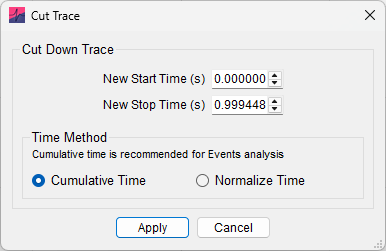
This gives the option to set new record start and finish times (e.g. cut a trace that is \(0\)–\(2\ \mathrm{s}\) long down to \(0.5\)–\(1\ \mathrm{s}\)). An offset will always be subtracted to ensure the first record starts at \(t = 0\).
Clicking Apply will change the record length for every record in the file. Options are provided for cumulatively increasing record times after cutting trace length (e.g. record 1: \(0\)–\(0.5\ \mathrm{s}\), record 2: \(0.5\)–\(1\ \mathrm{s}\)) or normalizing time instead (see Normalize Time).